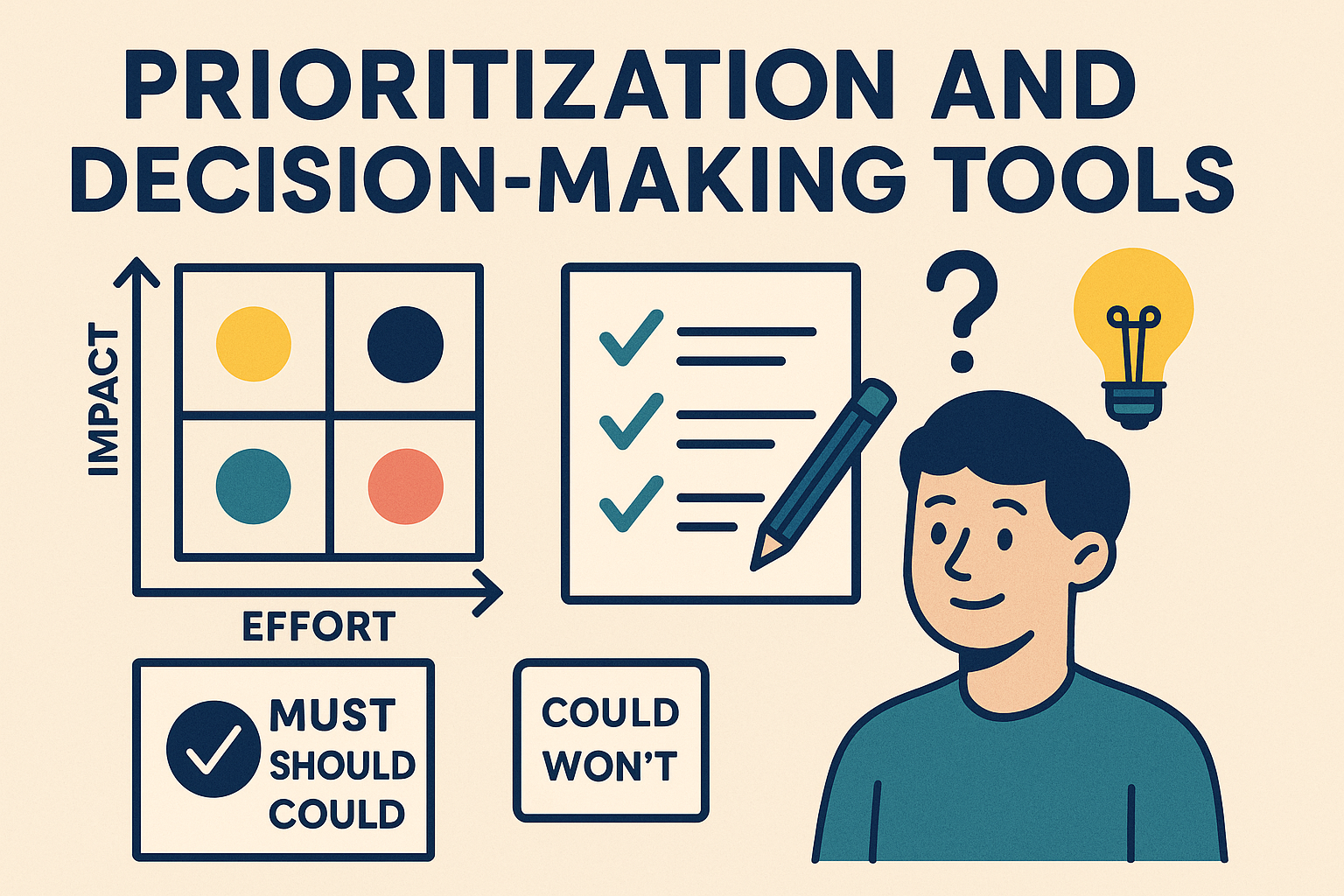
Let’s face it—project life is full of choices. Big choices, small choices, annoying choices. Should we build feature A or feature B? Do we fix bugs now or launch the update? You’ve probably been there, standing in front of a whiteboard, drowning in sticky notes, wondering which idea should go first.
That’s where prioritization and decision-making tools come in. Think of them like a superhero utility belt for your brain. They help you cut through the chaos, focus your team, and say “yes” to the things that matter most.
In this post, you’ll learn about 13 awesome tools and techniques to help you and your team make smarter choices—faster and with fewer headaches.
1. Why Prioritization Matters in Projects
Imagine baking a cake while trying to mow the lawn, answer emails, and solve world hunger—all at once. Sounds absurd, right? That’s what it feels like when a team works without clear priorities.
Prioritization gives your team focus. It shows them what matters now, what can wait, and what to toss out completely. It creates alignment, reduces decision fatigue, and helps you deliver better outcomes without working around the clock.
Without it? You get frustration, rework, burnout, and endless meetings where nothing gets done.
2. The Effort-Impact Matrix: Quick Wins vs. Time Wasters
Say hello to your new best friend: the Effort-Impact Matrix.
It’s a simple 2×2 grid. One axis is effort (low to high), the other is impact (low to high). You place your tasks or ideas on this grid—and boom! You know what to do.
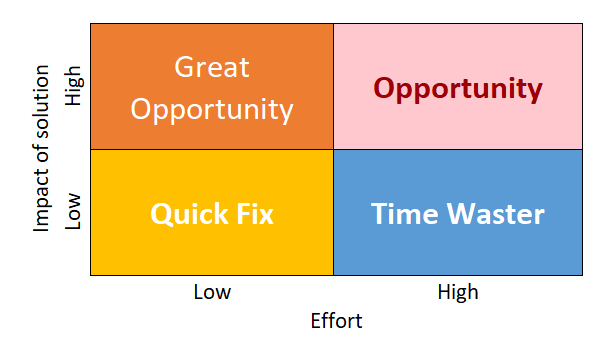
- High impact, low effort? Quick Fix. Do them first!
- High impact, high effort? Major projects/Opportunity. Plan them well.
- Low impact, low effort? Fillers/Quick Fix. Do them if you have extra time.
- Low impact, high effort? Avoid like bad coffee.
You can draw it on a napkin or use it in a big strategy session. Either way, it gets your team thinking smart.
3. Brainstorming Techniques: Unleash the Wild Ideas
Before you prioritize, you need ideas. And brainstorming is where the magic begins.
A good brainstorming session feels like improv comedy—fast, fun, and full of surprises. The secret? Create a judgment-free zone where people can throw out wild, weird, or wonderful ideas.
Here are some quick tips:
- Defer judgment. Even the “bad” ideas may spark a gem.
- Encourage wild thoughts. You never know where they’ll lead.
- Build on each other’s ideas. Use “yes, and…” instead of “but.”
- Stay focused. Don’t stray too far from the topic.
- One conversation at a time. Otherwise, nobody gets heard.
Sticky notes, whiteboards, online boards—it’s all fair game. Just let the creativity flow.
4. The MoSCoW Method: No, It’s Not About Russia
MoSCoW stands for:
- Must have
- Should have
- Could have
- Won’t have (this time)
This tool helps teams rank features or tasks based on importance—not urgency. It’s great when you’re working with tight timelines or limited resources.
You use it like this: Gather your list of features or tasks, then categorize each using the MoSCoW categories. It quickly makes priorities visible and helps manage stakeholder expectations.
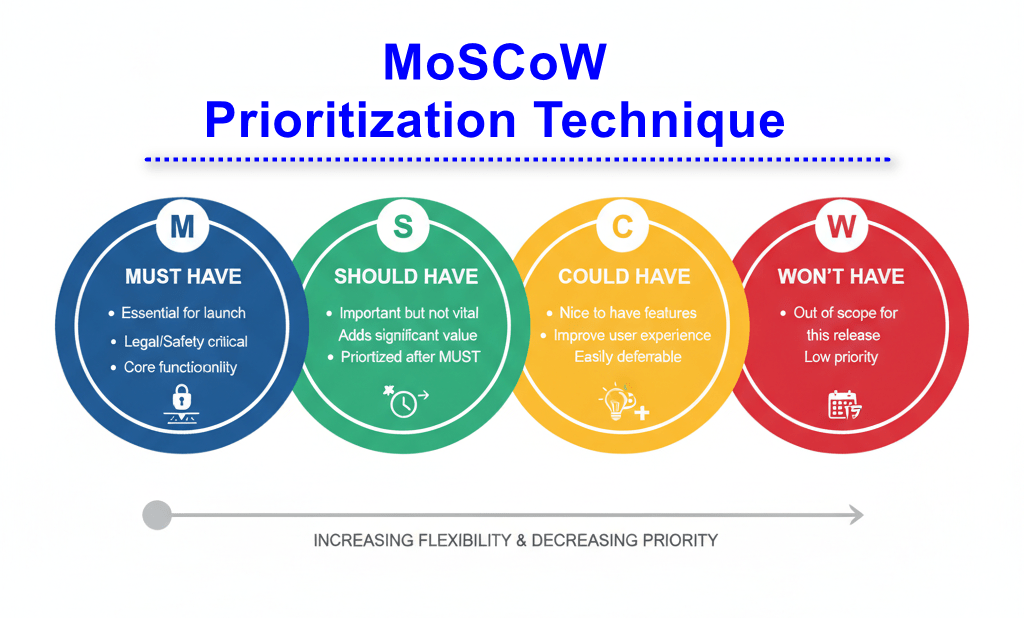
Use it often for scope decisions, release planning, or sprint grooming.
5. Eisenhower Matrix: Urgent vs. Important
President Eisenhower once said, “What is important is seldom urgent, and what is urgent is seldom important.”
The Eisenhower Matrix takes this wise thinking and turns it into a simple tool. You divide tasks into:
- Urgent and Important – Do it now!
- Important, not Urgent – Schedule it.
- Urgent, not Important – Delegate it.
- Neither – Delete it or ignore.
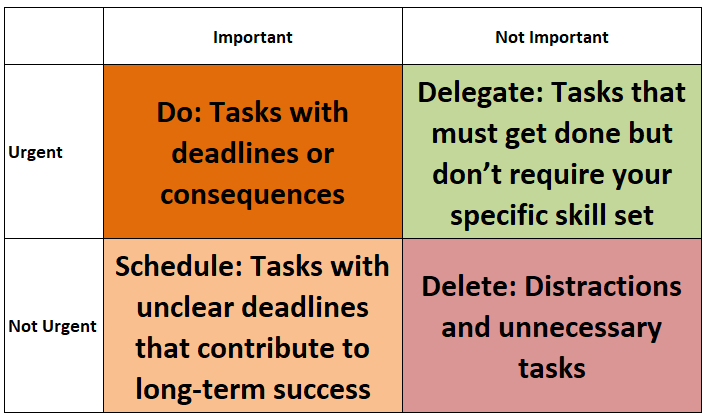
It’s a life-saver when your inbox is overflowing and everything feels on fire. This tool is especially helpful for managing your own workload and coaching overwhelmed team members.
6. Paired Comparison Analysis: The Cage Match of Ideas
Got too many ideas and not sure which is best? Let them battle it out.
Paired Comparison Analysis takes every item on your list and compares them in pairs. You ask, “Which is more important—A or B?” And you score them based on preference.
You repeat this for all combinations, then total up the scores. The highest-scoring item wins. Simple, methodical, and surprisingly fun.
It’s great when the decision feels fuzzy or subjective, like choosing the best feature or selecting vendors.
Here is an example: The Paired Comparison Matrix displays how each improvement initiative was evaluated against the others, one pair at a time. For every comparison, a score from 0 to 3 was assigned to indicate which option was preferred and by how much. The matrix helps make subjective decisions more objective by forcing a structured evaluation. Once all scores are entered, they are totaled to rank the initiatives. This allows teams to identify the highest-priority option based on logical comparisons, not opinions or assumptions. It’s especially helpful when the group is undecided or when options seem equally strong.
| Line Item | A – Improve Website UX | B – Launch Mobile App | C – Automate Invoicing | D – Customer Training Program | E – Expand Support Hours | Total Score | Ranking |
| A – Improve Website UX | 0 | 2 | 3 | 1 | 2 | 8 | 1 |
| B – Launch Mobile App | 0 | 0 | 1 | 2 | 1 | 5 | 2 |
| C – Automate Invoicing | 0 | 0 | 0 | 3 | 2 | 4 | 3 |
| D – Customer Training Program | 0 | 0 | 0 | 0 | 1 | 1 | 4 |
| E – Expand Support Hours | 0 | 0 | 0 | 0 | 0 | 0 | 5 |
7. Weighted Scoring Model: Let the Numbers Decide
If you like numbers, this one’s for you.
The Weighted Scoring Model assigns weights to different criteria (like cost, impact, risk, or ease). Then you score each idea or option based on how well it meets each criterion.
Multiply the score by the weight for each factor, add them up, and you’ve got a total.
It brings structure to complex decisions and helps justify your choices to stakeholders who want “data, not drama.”
Example: The Weighted Scoring Model example evaluates five project initiatives against key criteria: Customer Value and the weight of each initiative. Each initiative is weighted based on importance, and every initiative is scored on a 1–5 scale. The model multiplies each score by its weight to calculate weighted scores. The initiative with the highest score is the top choice, offering the best overall value. This structured approach ensures a transparent and well-justified decision, especially useful in high-stakes project selection scenarios.
| Initiative | Customer Value | Weight | W. Score | Rank |
| A – Improve Website UX | 2.0 | 2.0 | 4.0 | 3.0 |
| C – Automate Invoicing | 4.0 | 3.0 | 12.0 | 1.0 |
| D – Customer Training Program | 3.0 | 1.0 | 3.0 | 4.0 |
| B – Launch Mobile App | 1.0 | 1.0 | 1.0 | 5.0 |
| E – Expand Support Hours | 5.0 | 2.0 | 10.0 | 2.0 |
8. Buy-a-Feature and Priority Poker: Gamify It!
Want to make prioritization fun? Give your team play money.
Buy-a-Feature lets stakeholders or users spend fictional currency on features they value most. They can “buy” only what they think is worth the cost.
Priority Poker works like Planning Poker. Each person gets a deck of cards and secretly chooses their vote on a feature’s priority. Everyone reveals at once—then the team discusses differences and agrees on a final ranking.
These methods are great for uncovering what people really care about—and they’re surprisingly fun to run.
9. The 100-Dollar Test: Budget Your Love
This tool is short, sweet, and revealing.
Give each team member or stakeholder $100 to “spend” on features, tasks, or projects. They divide the money based on what they value most.
It’s a simple way to expose real preferences—especially when everyone says everything is important. You’ll quickly spot where consensus is strong and where debate is needed.
Use this in workshops, planning sessions, or whenever you’re stuck in a deadlock.
10. Action Priority Matrix: Visualize Your Workload
This one is like the Effort-Impact Matrix’s stylish cousin.
The Action Priority Matrix also uses effort and impact but names the four quadrants in a way that just clicks:
- Quick Wins (High impact, low effort)
- Major Projects (High impact, high effort)
- Fill-Ins (Low impact, low effort)
- Thankless Tasks (Low impact, high effort)
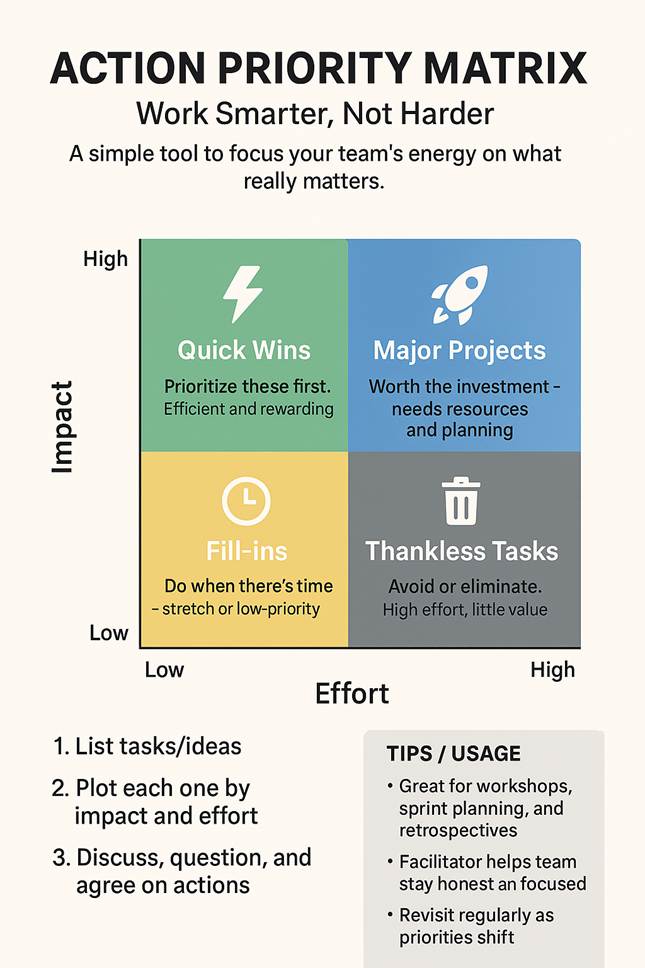
It’s a go-to tool for project reviews, backlog grooming, or personal planning. You can use it on a whiteboard, spreadsheet, or app. Either way, it gives instant clarity.
11. Effort-Cost Matrix: Balance Work Against Spend
The Effort-Cost Matrix helps you compare initiatives using two practical constraints: how much work they require and how much money they consume. It is especially useful when two options may deliver similar value, but one needs significantly more labour, specialist time, licensing, equipment, or external spending.
Plot each option on a simple 2×2 grid with effort from low to high on one axis and cost from low to high on the other. The matrix gives you four useful decision zones:
- Low effort, low cost: Easy Wins. Do these first.
- High effort, low cost: Low Value. Consider avoiding or deprioritizing these unless they provide important strategic value.
- Low effort, high cost: Quick Wins with Higher Cost. Easy to execute, but confirm the value justifies the investment.
- High effort, high cost: Major Projects. These need strong value, sponsorship, and careful planning before approval.
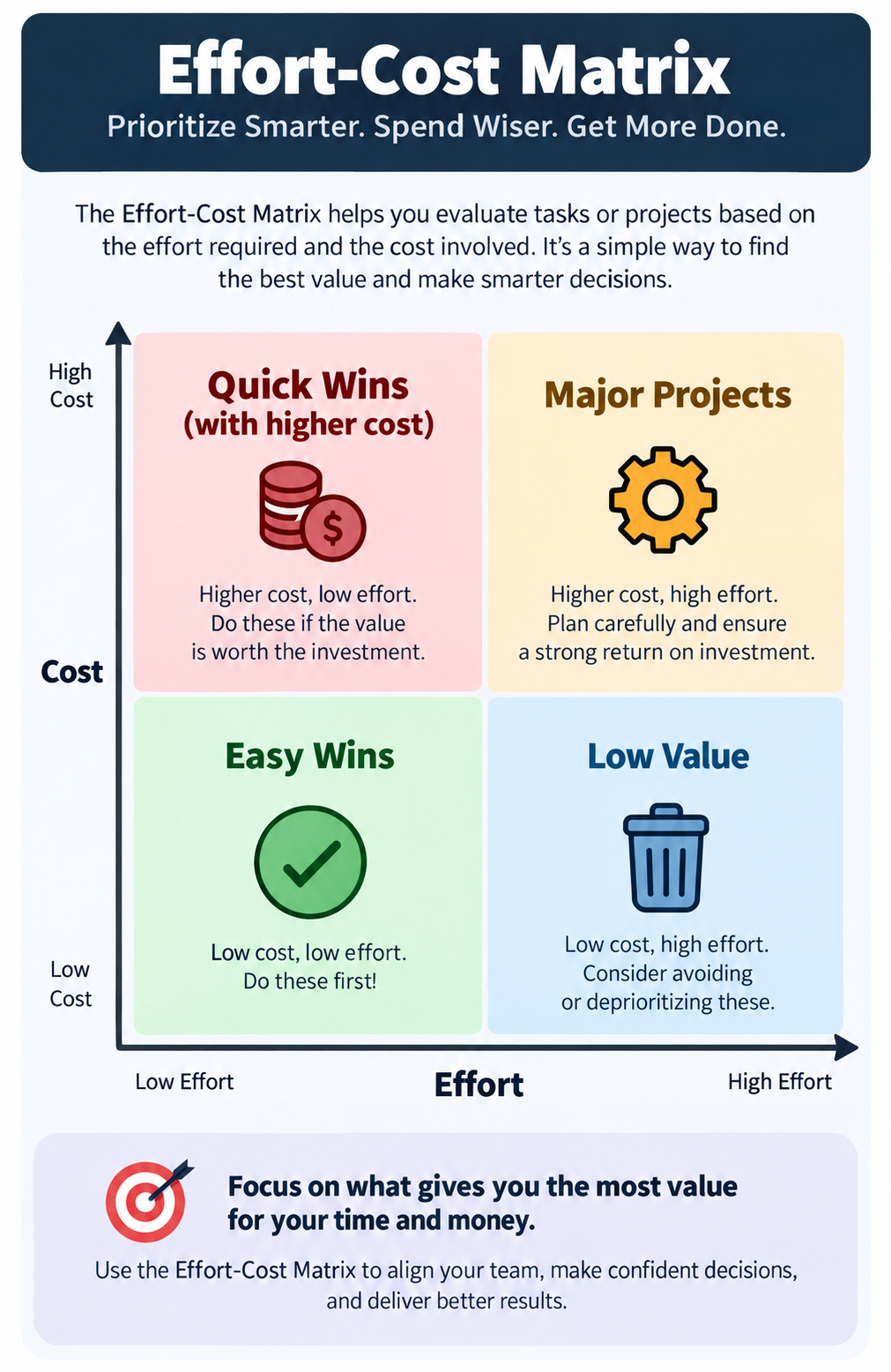
This matrix is close to the Action Priority Matrix, but it answers a different question. The Action Priority Matrix compares effort against impact. The Effort-Cost Matrix compares effort against financial cost. Use it when budget and resource capacity are the main constraints, such as selecting improvement projects, automation initiatives, vendor solutions, or capital work.
12. Nominal Group Technique (NGT): Get Everyone’s Voice Heard
In group settings, some people talk a lot, and others get drowned out. Nominal Group Technique fixes that.
Here’s how it works:
- Everyone silently writes their ideas.
- Ideas are shared one at a time, round-robin style.
- Clarify the ideas—no debating yet.
- Everyone ranks or scores the ideas privately.
- The group reviews the results together.
This process ensures equal participation and thoughtful decision-making. It’s great for teams with strong personalities or when you want to avoid groupthink.
Example: The table shows how each participant ranked the ideas using the Nominal Group Technique (NGT). Lower total scores indicate higher group preference. In this example, “Provide communication training” received the highest overall ranking, followed by “Use Slack for quick updates”. The remaining ideas tied with equal scores. This structured process highlights the most supported idea while ensuring balanced input from all participants.
| Item | Alice | Bob | Carlos | Dina | Total Score |
| Provide communication training | 0 | 0 | 0 | 1 | 1 |
| Use Slack for quick updates | 0 | 3 | 2 | 0 | 5 |
| Use shared project dashboard | 1 | 2 | 3 | 0 | 6 |
| Hold weekly stand-up meetings | 2 | 1 | 0 | 3 | 6 |
| Introduce “no-email Friday” policy | 3 | 0 | 1 | 2 | 6 |
13. Dot Voting / Multi-Voting: Stickers for the Win
Ever seen a board covered in dot stickers? That’s Dot Voting in action.
You give each person a set number of dots (or votes), and they place them on the ideas or items they like most.
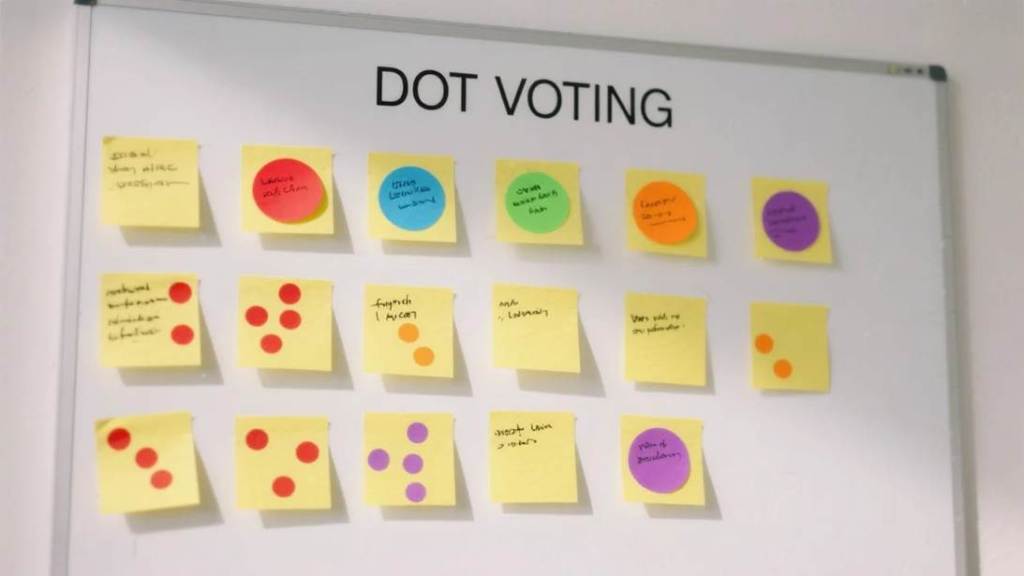
The ones with the most dots rise to the top. It’s fast, democratic, and visual. You can even use emojis in virtual boards if stickers aren’t your thing.
Use it in brainstorming sessions, design reviews, or feature prioritization meetings.
Facilitating Group Prioritization Sessions: Herding Cats Made Easier
Okay, so now you’ve got all these tools—but how do you run a session that doesn’t turn into chaos?
Here are a few pro tips:
- Set the Stage: Be clear on what you’re prioritizing and why. Is it features, risks, timelines, or something else?
- Choose the Right Tool: Don’t overcomplicate. For quick decisions, use Dot Voting or the MoSCoW Method. For complex ones, try the Weighted Scoring Model.
- Keep It Fair: Use time-boxing, group rules, and a facilitator to keep dominant voices in check.
- Visualize Everything: Whether you’re using sticky notes, digital boards, or whiteboards, make priorities visible to everyone.
- Follow Up: Don’t let your prioritization session become “just another workshop.” Document the results, and act on them quickly.
- Have Snacks: Seriously. Every good session needs snacks.
Wrapping It Up
Prioritization is not just a skill—it’s a superpower. Whether you’re launching a product, managing a project, or organizing your weekend, the ability to choose what matters is everything.
From the simplicity of the Eisenhower Matrix to the fun of Priority Poker, there’s a tool for every situation and personality.
So next time you’re buried in options or facing a team that wants to “do it all,” pause, pull out one of these tools, and start making magic happen.
And remember: prioritizing isn’t about doing less. It’s about doing the right things—and doing them well.
Now over to you: What’s your go-to prioritization tool? Have you tried Dot Voting or MoSCoW in your projects? Drop a comment or share your favorite decision-making hack. We’re all learning from each other here!