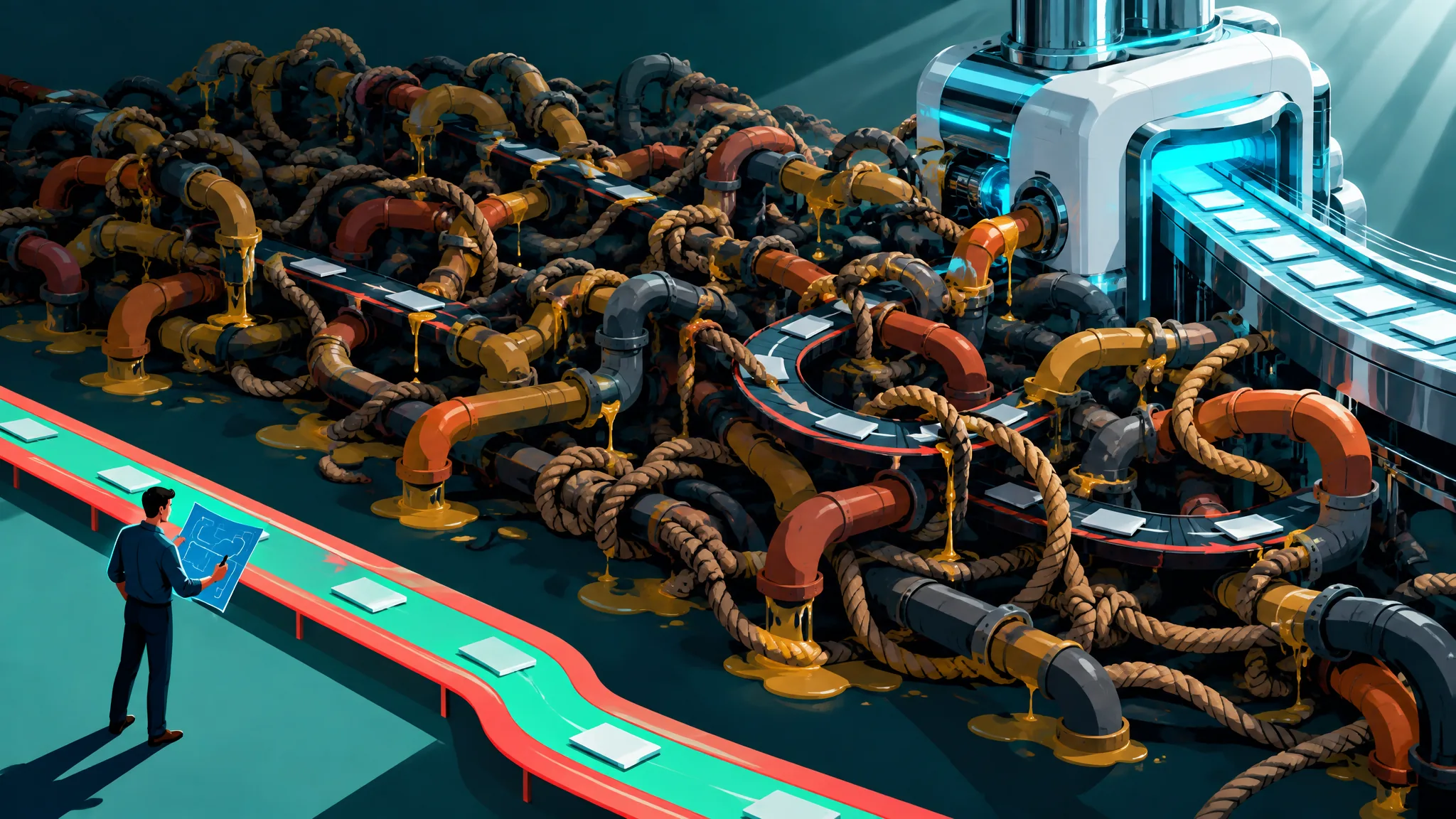
Somewhere in your company there is a mailbox folder called something like "Waiting for PO". It holds supplier invoices that can't be paid because nobody can tell who ordered the thing. Someone checks it on Tuesdays.
Now picture an AI agent pointed at that process. It reads every invoice in seconds, extracts the fields perfectly, and drops a third of them into the same folder, only faster. Nothing gets paid sooner. The folder just fills faster. Automation copies the process you have, including its holes. If the process is a mess, AI gives you the same mess at a higher speed and with fewer people watching it.
This post walks one office process through a five-step check you can run before any automation project: map it, measure the rework and the waiting, remove the waste, standardise what is left, and only then automate. The order matters more than the tool.
The argument for "process first", and who is making it
The loudest voices on this right now are lean consultants. In August 2025 the chief executive of Kaizen Institute, a firm that sells lean and continuous improvement consulting, published an opinion piece on the World Economic Forum's site titled "Why AI fails without streamlined processes". The WEF presents it as the author's own view. Its argument is that AI projects fail when the processes underneath were never fixed, and Kaizen's own site puts it more bluntly: applied to inefficient processes, AI "risks accelerating waste instead of eliminating it."
Keep that in mind as you read their evidence. The figure Kaizen cites comes from a LinkedIn poll it ran in February 2025: 55% of the 83 people who answered picked outdated systems and processes as the biggest hurdle to AI, from four fixed options. That is a small, self-selected sample, collected by a firm with a stake in the answer. Another Kaizen article on manufacturing makes the same case in one line: "a system that changes arbitrarily from day to day cannot be automated or optimized."
So yes, the source sells lean. The logic still holds, and you don't need to buy anything to test it. The first check, mapping and measuring, takes about two weeks on your own process, and the whole cycle about six. The rest of this post walks through it.
A worked example: supplier invoice approval
Take a 60-person company that pays around 400 supplier invoices a month. Finance wants an AI tool to read the invoices and route them for approval. The numbers below are a worked example built for this post, not a client case. Your figures will be different; the pattern is what to look for.
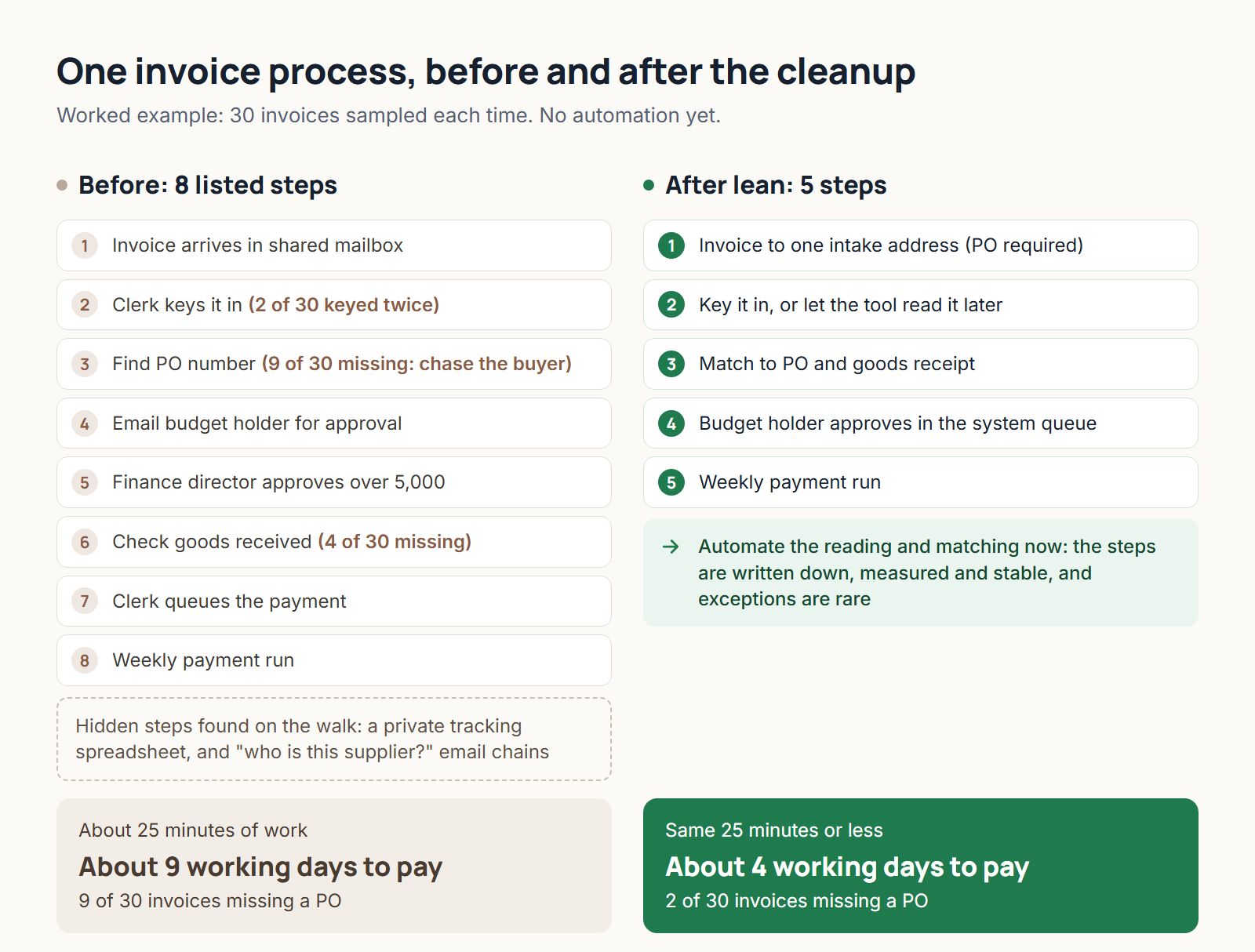
Here is the process as the finance team describes it on a good day:
- The invoice arrives in a shared mailbox.
- An accounts clerk keys it into the accounting system.
- The clerk finds the purchase order number.
- The clerk emails the budget holder for approval.
- Invoices over 5,000 also go to the finance director.
- The clerk checks the goods were received.
- The clerk queues the payment.
- Payment goes out in the weekly payment run.
It looks tidy. The AI vendor's demo replaces steps 2, 3 and 4 and promises to cut processing time by half.
Step 1: map the steps by following one real invoice
Walk the work, not the procedure. Pick an invoice that arrived last week and trace what actually happened to it: every inbox, every spreadsheet, every reminder email. Write each step on a sticky note with two numbers: how long someone worked on it, and how long it sat waiting before the next step.
In our example, the walk turns up three steps nobody listed. The clerk keeps a private spreadsheet of invoices waiting for approval, because the accounting system cannot show them. Budget holders often reply "who is this supplier?", which starts a second email chain. And around one invoice in fifteen is keyed twice, because the supplier sent it to the mailbox and also to the budget holder, who forwarded it.
That is the first payoff of mapping. You can't automate a step you don't know exists, and the hidden steps are usually where the time goes.
Step 2: measure the rework and the waiting
Two numbers tell you whether a process is ready for automation: how often work goes backwards, and how much of the elapsed time is waiting. Pull 30 recent invoices and measure both. It takes an afternoon with the mailbox and the accounting system's dates.
The example results:
| Measure | Result |
|---|---|
| Hands-on work per invoice | about 25 minutes |
| Time from arrival to payment | about 9 working days |
| Invoices with no purchase order number | 9 of 30 |
| Invoices with no goods receipt recorded | 4 of 30 |
| Invoices keyed twice | 2 of 30 |
Twenty-five minutes of work spread over nine days means the invoice spends almost all of its life waiting. Lean practitioners call the ratio of value-added time to total elapsed time process cycle efficiency. Even if you count all 25 minutes as value-added, which they are not, it comes out well under 1%.
Now look at the AI pitch again. It speeds up keying and routing, part of the 25 minutes. It does nothing about the days spent waiting for a purchase order number, a budget holder or the weekly payment run. Automating this process as it stands might cut the 25 minutes to 10, give the clerk back about 20 hours a week, and leave the supplier waiting just as long.
Step 3: remove the waste before you pay to speed it up
Put one question to every rework loop and every wait from Step 2: why does this exist at all? In the example, the answers lead to four changes, none of them technical.
The missing purchase orders come from staff ordering by phone or email. A "no PO, no payment" rule, sent to suppliers and enforced for a month, moves the fix to the start of the process, where it costs one form instead of three emails. The finance director's second approval adds two days to roughly one invoice in ten, and when the team checks, the director has not rejected one in a year. Raising that threshold removes the wait for most of those invoices. Duplicate keying stops when suppliers get one address to send invoices to. The private spreadsheet goes once the accounting system's own approval queue is switched on, a feature the company already paid for.
This is the step where lean earns its place. Every piece of waste you remove here is a piece you never have to build, test, monitor or explain to an auditor later.
Step 4: standardise what is left and let it settle
A process is stable when it runs the same way next month as this month, and you can predict its numbers. Write the new process on one page: the intake address, the information an invoice must carry, the approval limits, what happens to an exception and who owns it. Then run it for two to four weeks and measure the same 30-invoice sample again.
In the example, the second sample shows invoices without a purchase order down to 2 of 30, no duplicates, and about 4 working days from arrival to payment. The process now has five routine steps instead of eight; the director signs off only the few invoices above the new limit, and the payment run, not approvals, is the biggest remaining wait.
Notice that the elapsed time halved before any AI was involved. That is the comparison to bring to the budget meeting: what the cleanup achieved on its own, and what automation would add on top.
Step 5: automate the stable version, and only the parts that are left
Now the AI tool has something worth automating. Reading invoice fields and matching them to purchase orders and goods receipts is repetitive and rule-based, and the rules are written down. Exceptions are rare enough that a person can handle each one properly instead of drowning in them.
The scope is also smaller and clearer than the original pitch. You are automating two well-defined steps, reading and matching, inside a five-step process with a known exception rate, not eight steps plus three hidden ones. You can measure the tool against a baseline you trust: if it does not beat 4 days and 2 exceptions in 30, you will see it.
Three signs a process is not ready for AI
You don't need the full five steps to know when to stop and clean up first. These three signs are enough to pause an automation project:
- Two people describe the process differently. If the clerk's version and the manager's version don't match, the AI will learn one of them, or neither.
- Exceptions are common. If something goes backwards on more than about one item in ten, the tool will spend its life routing exceptions to people, which is the work you wanted to remove. That threshold is a rule of thumb, not a standard; set your own and write it down.
- Nobody can say how long it takes. Without a baseline, you cannot tell whether automation helped, and the vendor's demo becomes the only measurement anyone has.
The opposite also holds. If a process is already written down, measured and boring, skip the cleanup and automate it. Lean before AI is a test to run, not a ceremony that delays every project by six months.
The order is the whole point
Back to the "Waiting for PO" folder. With the process cleaned up, it holds a handful of invoices instead of dozens, and the AI tool that reads invoices has a clear job and a number to beat. The tool did not fix the folder. Fixing the order of the work did.
Before you sign off the next automation project, follow one real item through the process and measure 30 of them. If the rework and the waiting dominate, fix those first. You will either find you need less automation than you thought, or you will automate something that works.
If you want the tools behind these steps (process mapping, waste, standardised work and simple measurement), the free course Lean Six Sigma for Absolute Beginners covers each of them with practical examples.